Showing posts with label remote. Show all posts

Splashtop Whiteboard for Android now available - control computer from tablet


HomeSplashtop Whiteboard Icon

Splashtop has just announced that Splashtop Whiteboard for Android tablets is now available in the Google Play app market.

I use Splashtop Remote Desktop with my HP TouchPad tablet and my Droid Incredible 2 smartphone to connect and control my computers from my devices. It is an excellent app and very useful for me. Splashtop Whiteboard is built using Remote Desktop. I've also used Splashtop OS on my netbook.

With Splashtop Whiteboard teachers and students can connect to a computer over Wi-Fi from an Android device or iPad, to enjoy Flash media with fully synchronized video and audio, control their favorite educational applications and annotate lesson content with a full-featured toolbar. Teachers can interact with students at their desks or from all four corners of the classroom.  
Splashtop Whiteboard is built on top of Splashtop Remote Desktop, the company's award-winning app that enables users to create their own personal cloud to access files, applications, as well as view and listen to content, directly from a PC or Mac without the need to sync or copy files or applications across devices. 


Splashtop Whiteboard is now available in the Google Play market for $9.99 (on sale!)
https://play.google.com/store/apps/details?id=com.splashtop.remote.WHITEBOARD&rdid=com.splashtop.remote.WHITEBOARD&rdot=1


It is also available for the iPad. for $19.99

See press release http://www.prweb.com/releases/Splashtop/WhiteboardforAndroid/prweb9271264.htm
where you can easily download graphics and see a teacher using Splashtop Whiteboard in the classroom on an Android tablet at http://www.youtube.com/watch?v=aTKL6rkW9OY


Related:
Home
Splashtop Remote - not free, but very useful (and awesome)


Android Apps, News, Tips and more for Educators and Students


Droid Incredible 2
Android Smartphone and Apps I use as an educator
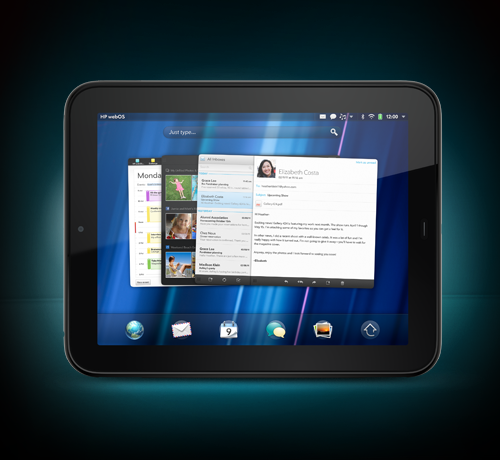


HP TouchPad Tablet Review, and update after 6 months of use


Disclosure - I did not receive any compensation for this article and I do not receive any compensation for anyone downloading the software. 


  • Digg
  • Del.icio.us
  • StumbleUpon
  • Reddit
  • RSS

pult - make any dumbscreen smart using your smartphone


pult is a free site that allows you to use your smartphone to stream videos from YouTube or Vimeo, photos from Flickr and Picasa, presentations from Slideshare, and your Facebook data, to any web enabled device.

You open up pult on your computer or other device you want to share to, then go to http://pult.io/ on your smartphone's browser and enter the code that your computer or device shows. Hit connect, and off you go.

On your smartphone you select which service to connect to and what to share to your device.

Easy and quick to use.

This could be useful for teachers, students or presenters when making presentations and you can also use it to share things from your smartphone to a larger screen without logging into anything on the larger screened device.

http://pult.io/


  • Digg
  • Del.icio.us
  • StumbleUpon
  • Reddit
  • RSS

Clik - turn your smartphone into a remote control


Clik

Click is a very cool site that I'm just starting to play with. Click turns your smartphone into a remote control for any screen with a browser. 

It is very easy to use. You go to ClikThis.com your desktop browser and it generates a unique QR code on the screen. Then, you open the Clik app on your iPhone or Android phone and aim the camera at the QR code on the screen and it will sync the app to the computer and off you go.  

Currently, it is limited to playing YouTube videos, but there are already plans to expand it into controlling other parts of your computer. It's also free. 

(if you need to control your entire desktop or laptop from your mobile device, try out Splashtop Remote.)

Features:
- Take control of any web-enabled screen with your smartphone.
- Stream any of the millions of videos on YouTube onto the screen, controlling the experience right from your smartphone. - You can play, pause, search, browse, create favorites, control the volume – it’s a true remote control. And it goes with you anywhere – so your favorite videos are only a touch away.
- Use multiplayer mode at your next party! Multiplayer mode lets you and your friends all Clik in at the same time, so that you can play and discover videos together
- Bring your videos with you everywhere you go - you're only a ‘Clik’ away from playing them for friends or family.
- Clik can use your WiFi OR your mobile data connection.
- No additional hardware is required!

You can download the iPhone and Android apps here.  http://discover.clikthis.com/

  • Digg
  • Del.icio.us
  • StumbleUpon
  • Reddit
  • RSS